


Page 907 - Windows 10 May 2019 Update The Missing Manual: The Book That Should Have Been in the Box
P. 907
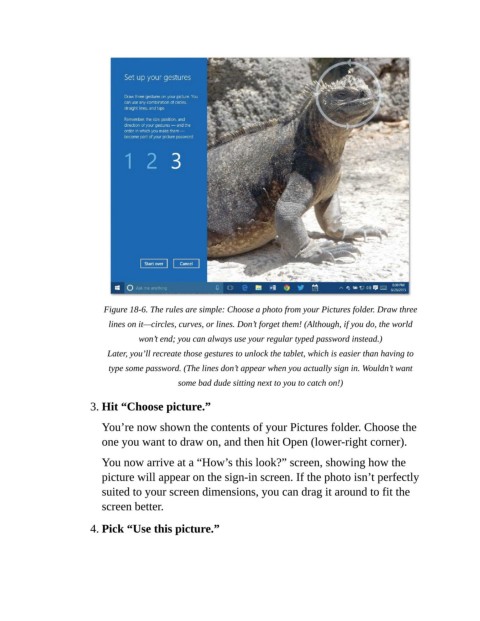
Figure 18-6. The rules are simple: Choose a photo from your Pictures folder. Draw three

                             lines on it—circles, curves, or lines. Don’t forget them! (Although, if you do, the world
                                    won’t end; you can always use your regular typed password instead.)

                            Later, you’ll recreate those gestures to unlock the tablet, which is easier than having to
                             type some password. (The lines don’t appear when you actually sign in. Wouldn’t want
                                              some bad dude sitting next to you to catch on!)


                        3. Hit “Choose picture.”

                           You’re now shown the contents of your Pictures folder. Choose the
                           one you want to draw on, and then hit Open (lower-right corner).


                           You now arrive at a “How’s this look?” screen, showing how the
                           picture will appear on the sign-in screen. If the photo isn’t perfectly
                           suited to your screen dimensions, you can drag it around to fit the

                           screen better.

                        4. Pick “Use this picture.”

