


Page 979 - Windows 10 May 2019 Update The Missing Manual: The Book That Should Have Been in the Box
P. 979
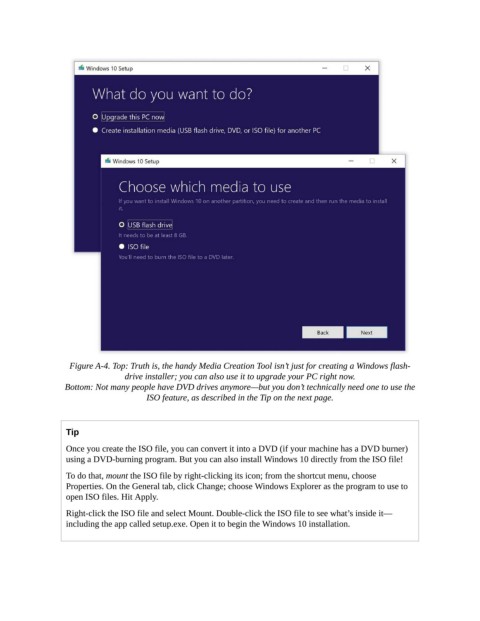
Figure A-4. Top: Truth is, the handy Media Creation Tool isn’t just for creating a Windows flash-
                                 drive installer; you can also use it to upgrade your PC right now.

                 Bottom: Not many people have DVD drives anymore—but you don’t technically need one to use the
                                      ISO feature, as described in the Tip on the next page.


                  Tip

                  Once you create the ISO file, you can convert it into a DVD (if your machine has a DVD burner)
                  using a DVD-burning program. But you can also install Windows 10 directly from the ISO file!

                  To do that, mount the ISO file by right-clicking its icon; from the shortcut menu, choose
                  Properties. On the General tab, click Change; choose Windows Explorer as the program to use to
                  open ISO files. Hit Apply.

                  Right-click the ISO file and select Mount. Double-click the ISO file to see what’s inside it—
                  including the app called setup.exe. Open it to begin the Windows 10 installation.

