


Page 29 - Impilo Yabantu User Manual
P. 29
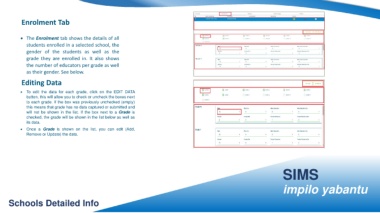
Enrolment Tab


                   • The Enrolment tab shows the details of all


                         students enrolled in a selected school, the


                         gender of the students as well as the


                         grade they are enrolled in. It also shows

                         the number of educators per grade as well


                         as their gender. See below.


                    Editing Data


                   •     To edit the data for each grade, click on the EDIT DATA

                         button, this will allow you to check or uncheck the boxes next

                         to each grade. If the box was previously unchecked (empty)

                         this means that grade has no data captured or submitted and

                         will not be shown in the list. If the box next to a Grade is

                         checked, the grade will be shown in the list below as well as

                         its data.

                   •     Once a Grade is shown on the list, you can edit (Add,

                         Remove or Update) the data.


                                                                                                                                                                                                                                                               SIMS


                                                                                                                                                                                                                                                               impilo yabantu


         Schools Detailed Info

