


Page 34 - Impilo Yabantu User Manual
P. 34
Assessor list and Status


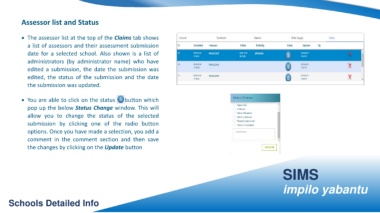
                    • The assessor list at the top of the Claims tab shows


                          a list of assessors and their assessment submission


                          date for a selected school. Also shown is a list of


                          administrators (by administrator name) who have


                          edited a submission, the date the submission was


                          edited, the status of the submission and the date


                          the submission was updated.


                    • You are able to click on the status                                                        button which


                          pop up the below Status Change window. This will


                          allow you to change the status of the selected


                          submission by clicking one of the radio button


                          options. Once you have made a selection, you add a


                          comment in the comment section and then save


                          the changes by clicking on the Update button


                                                                                                                                                                                                                                                               SIMS


                                                                                                                                                                                                                                                               impilo yabantu


         Schools Detailed Info

