


Page 6 - Refman_Brochures
P. 6
C Co os st t
                                                                                                                                                                                  C Co on nt tr ro ol l
         R RE EF FM MA AN Nfor windows

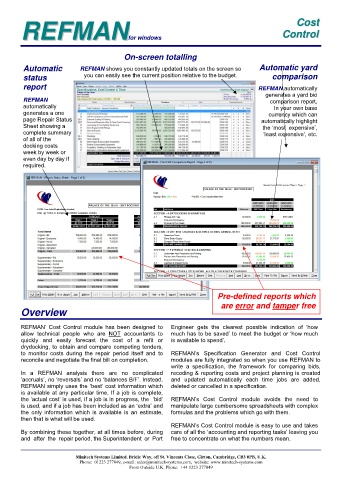
                                             On-screen totalling


           Automatic         REFMAN shows you constantly updated totals on the screen so    Automatic yard
                               you can easily see the current position relative to the budget.   comparison
           status

          report                                                                            REFMAN automatically
                                                                                              generates a yard bid
          REFMAN                                                                                comparison report,
          automatically                                                                           In your own base
          generates a one                                                                      currency which can
          page Repair Status                                                                 automatically highlight
          Sheet showing a                                                                    the ‘most  expensive’,
          complete summary                                                                   ‘least expensive’, etc.
          of all of the
          docking costs
          week by week or
          even day by day if
          required.


                                                                             Pre-defined reports which
                                                                               are error and tamper free
         Overview


        REFMAN’  Cost  Control  module  has  been  designed  to   Engineer  gets  the  clearest  possible  indication  of  ‘how
        allow  technical  people  who  are  NOT  accountants  to   much has to be saved’ to meet the budget or ‘how much
        quickly  and  easily  forecast  the  cost  of  a  refit  or   is available to spend’.
        drydocking, to obtain and compare competing tenders,
        to  monitor  costs  during  the  repair  period  itself  and  to   REFMAN’s  Specification  Generator  and  Cost  Control
        reconcile and negotiate the final bill on completion.   modules are fully integrated so when you use REFMAN to
                                                             write  a  specification,  the  framework  for  comparing  bids,
        In  a  REFMAN  analysis  there  are  no  complicated   recoding & reporting costs and project planning is created
        ‘accruals’, no ‘reversals’ and no ‘balances B/F’. Instead,   and  updated  automatically  each  time  jobs  are  added,
        REFMAN simply uses the ‘best’ cost information which   deleted or cancelled in a specification.
        is available at any particular time. If a job is complete,
        the ‘actual cost’ is used, if a job is in progress, the  ‘bid’   REFMAN’s  Cost  Control  module  avoids  the  need  to
        is used, and if a job has been included as an ‘extra’ and   manipulate large cumbersome spreadsheets with complex
        the  only  information  which  is  available  is  an  estimate,   formulas and the problems which go with them.
        then that is what will be used.
                                                             REFMAN’s Cost Control module is easy to use and takes
        By combining these together, at all times before, during   care of all the ‘accounting and reporting tasks’ leaving you
        and  after  the  repair period, the Superintendent  or  Port   free to concentrate on what the numbers mean.


                            Minitech Systems Limited. Bridle Way, off St. Vincents Close, Girton, Cambridge, CB3 0PB, U.K.
                             Phone:  01223 277049, e-mail: sales@minitech-systems.com,  website: www.minitech-systems.com
                                              From Outside U.K. Phone:  +44 1223 277049

