


Page 5 - PBD Plus Matematik T5 (EG)
P. 5
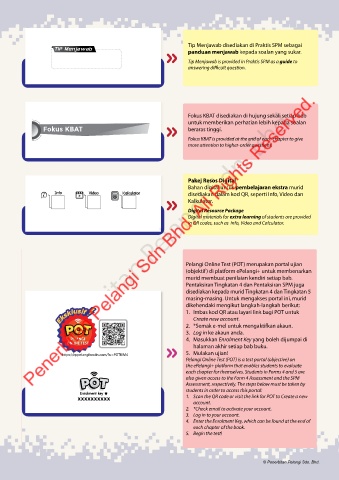
Tip Menjawab disediakan di Praktis SPM sebagai
                    TIP Menjawab
                                                                   panduan menjawab kepada soalan yang sukar.
                                                                   Tip Menjawab is provided in Praktis SPM as a guide to
                                                                   answering difficult question.


                    Penerbitan Pelangi Sdn. Bhd.
                                                                   Fokus KBAT disediakan di hujung sekali setiap bab
                                                                   untuk memberikan perhatian lebih kepada soalan
                Fokus KBaT                                         beraras tinggi.

                                                                   Fokus KBAT is provided at the end of each chapter to give
                                                                   more attention to higher-order questions.


                                                                   Pakej Resos Digital
                                                                   Bahan digital untuk pembelajaran ekstra murid
                    Info        Video       Kalkulator             disediakan dalam kod QR, seperti Info, Video dan
                                                                   Kalkulator.
                                                                   Digital Resource Package
                                                                   Digital materials for extra learning of students are provided
                                                                   in QR codes, such as  Info, Video and Calculator.


                                                                  Pelangi Online Test (POT) merupakan portal ujian
                                                                  (objektif) di platform ePelangi+ untuk membenarkan
                                                                  murid membuat penilaian kendiri setiap bab.
                                                                  Pentaksiran Tingkatan 4 dan Pentaksiran SPM juga
                                                                  disediakan kepada murid Tingkatan 4 dan Tingkatan 5
                                                                  masing-masing. Untuk mengakses portal ini, murid
                                                                  dikehendaki mengikut langkah-langkah berikut:
                                                                  1.  Imbas kod QR atau layari link bagi POT untuk
                                                                     Create new account.
                                                                  2.  *Semak e-mel untuk mengaktifkan akaun.
                                                                  3.  Log in ke akaun anda.
                                                                  4.  Masukkan Enrolment Key yang boleh dijumpai di
                                                                     halaman akhir setiap bab buku.
                       https://qr.pelangibooks.com/?u=POTKIM4     5.  Mulakan ujian!
                                                                  Pelangi Online Test (POT) is a test portal (objective) on
                                                                  the ePelangi+ platform that enables students to evaluate
                                                                  each chapter for themselves. Students in Forms 4 and 5 are
                                                                  also given access to the Form 4 Assessment and the SPM
                                                                  Assessment, respectively. The steps below must be taken by
                                                                  students in order to access this portal:
                             Enrolment key
                            xxxxxxxxxx                            1.   Scan the QR code or visit the link for POT to Create a new
                                                                     account.
                                                                  2.  *Check email to activate your account.
                                                                  3.  Log in to your account.
                                                                  4.  Enter the Enrolment Key, which can be found at the end of
                                                                     each chapter of the book.
                                                                  5.  Begin the test!


                                                                                             © Penerbitan Pelangi Sdn. Bhd.

