


Page 25 - TCS ICT Book 8
P. 25
The City School  2021-2022


             Image Name

             The name of any image that you open will be at the top of the image window as
             shown above.


             Option Menu


             Options bar which changes constantly depending on what tool you have selected.                         Advance Imaging


             Colour, Swatches, Style


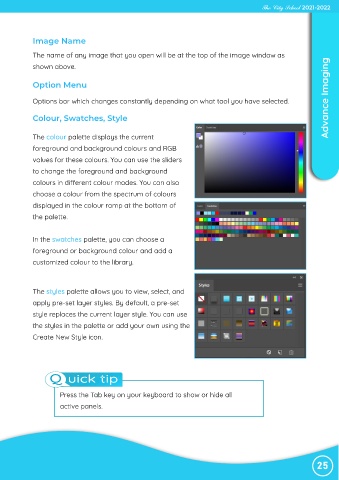
             The colour palette displays the current
             foreground and background colours and RGB

             values for these colours. You can use the sliders
             to change the foreground and background

             colours in different colour modes. You can also
             choose a colour from the spectrum of colours

             displayed in the colour ramp at the bottom of
             the palette.


             In the swatches palette, you can choose a

             foreground or background colour and add a
             customized colour to the library.


             The styles palette allows you to view, select, and
             apply pre-set layer styles. By default, a pre-set

             style replaces the current layer style. You can use
             the styles in the palette or add your own using the

             Create New Style icon.


                  Q uick tip


                      Press the Tab key on your keyboard to show or hide all

                      active panels.


                                                                                                                25

