


Page 43 - TCS ICT Book 8
P. 43
The City School  2021-2022


             2.17. Saving Images for Web


             While saving pictures for the web we have to be careful about the size of the file
             as on the web we are always keen to keep the file size small, this helps the website

             load quickly as all the content on the webpage downloads on your computer via the

             internet. Therefore, it is highly recommended to save files intended for webpages in a
             smaller size. The recommended format is GIF, PNG and JPEG.                                             Advance Imaging


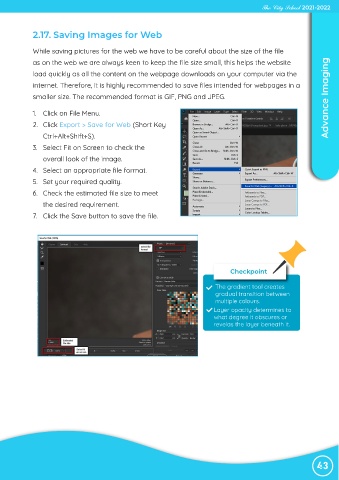
             1.  Click on File Menu.
             2.  Click Export > Save for Web (Short Key

                Ctrl+Alt+Shift+S).
             3.  Select Fit on Screen to check the

                overall look of the image.
             4.  Select an appropriate file format.

             5.  Set your required quality.
             6.  Check the estimated file size to meet

                the desired requirement.
             7.  Click the Save button to save the file.


                                                                                  Checkpoint


                                                                             The gradient tool creates
                                                                             gradual transition between
                                                                             multiple colours.
                                                                            Layer opacity determines to
                                                                            what degree it obscures or
                                                                            revelas the layer beneath it.


                                                                                                                43

