


Page 42 - TCS ICT Book 8
P. 42
The City School  2021-2022


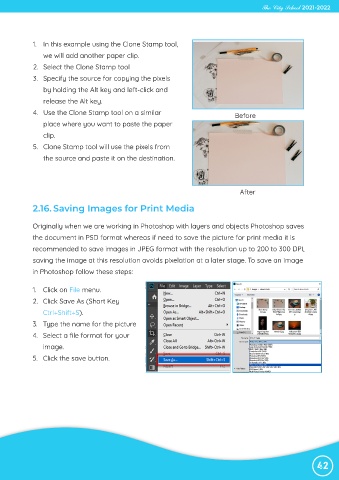
             1.  In this example using the Clone Stamp tool,

                we will add another paper clip.

             2.  Select the Clone Stamp tool
             3.  Specify the source for copying the pixels
                by holding the Alt key and left-click and

                release the Alt key.

             4.  Use the Clone Stamp tool on a similar                             Before
                place where you want to paste the paper
                clip.

             5.  Clone Stamp tool will use the pixels from

                the source and paste it on the destination.


                                                                                     After

             2.16. Saving Images for Print Media


             Originally when we are working in Photoshop with layers and objects Photoshop saves

             the document in PSD format whereas if need to save the picture for print media it is
             recommended to save images in JPEG format with the resolution up to 200 to 300 DPI,

             saving the image at this resolution avoids pixelation at a later stage. To save an image
             in Photoshop follow these steps:


             1.  Click on File menu.

             2.  Click Save As (Short Key
                Ctrl+Shift+S).

             3.  Type the name for the picture
             4.  Select a file format for your

                image.
             5.  Click the save button.


                                                                                                                42

