


Page 80 - TCS ICT Book 8
P. 80
The City School  2021-2022


             3.  The form we have created is currently empty and to make it purposeful we add

                elements called Controls.


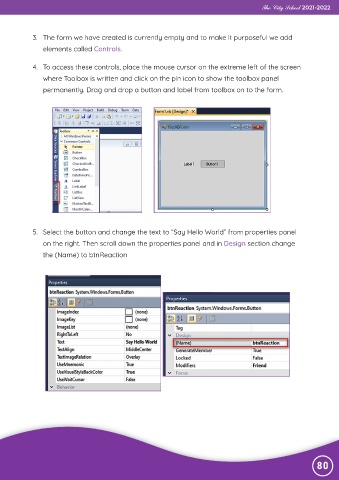
             4.  To access these controls, place the mouse cursor on the extreme left of the screen
                where Toolbox is written and click on the pin icon to show the toolbox panel
                permanently. Drag and drop a button and label from toolbox on to the form.


             5.  Select the button and change the text to “Say Hello World” from properties panel
                on the right. Then scroll down the properties panel and in Design section change

                the (Name) to btnReaction


                                                                                                                80

