


Page 63 - TCS ICT Book 5
P. 63
The City School  2021-2022


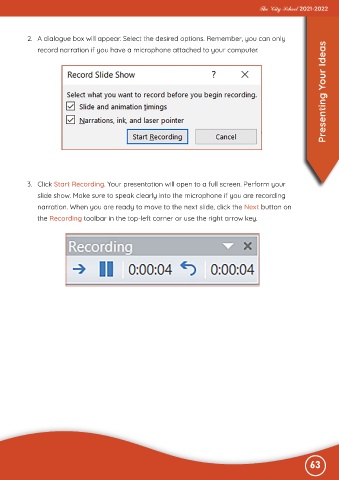
           2.  A dialogue box will appear. Select the desired options. Remember, you can only

              record narration if you have a microphone attached to your computer.                                 Presenting Your Ideas


           3.  Click Start Recording. Your presentation will open to a full screen. Perform your

              slide show. Make sure to speak clearly into the microphone if you are recording
              narration. When you are ready to move to the next slide, click the Next button on

              the Recording toolbar in the top-left corner or use the right arrow key.


                                                                                                              63

