


Page 33 - TCS ICT Book 4
P. 33
The City School  2021-2022


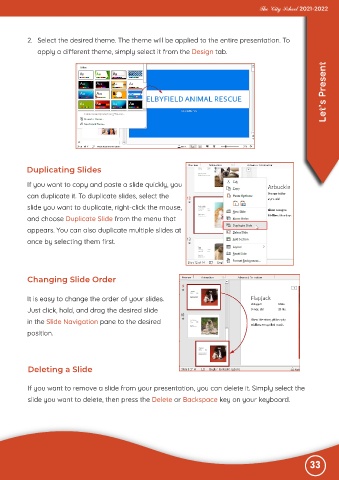
           2.  Select the desired theme. The theme will be applied to the entire presentation. To
              apply a different theme, simply select it from the Design tab.


                                                                                                                   Let’s Present


          Duplicating Slides

           If you want to copy and paste a slide quickly, you

           can duplicate it. To duplicate slides, select the
           slide you want to duplicate, right-click the mouse,

           and choose Duplicate Slide from the menu that
           appears. You can also duplicate multiple slides at

           once by selecting them first.


           Changing Slide Order


           It is easy to change the order of your slides.

           Just click, hold, and drag the desired slide
           in the Slide Navigation pane to the desired

           position.


           Deleting a Slide


           If you want to remove a slide from your presentation, you can delete it. Simply select the
           slide you want to delete, then press the Delete or Backspace key on your keyboard.


                                                                                                              33

