


Page 38 - TCS ICT Book 4
P. 38
The City School  2021-2022


           2.4.  Slide Transition


           A transition can be as simple as fading to the next slide or as flashy as an  eye-catching

           effect. PowerPoint makes it easy to apply transitions to some or all of your slides, giving
           your presentation an exciting and attractive look.


           Add Transition between Slides


           Here is the procedure to add transitions between slides:

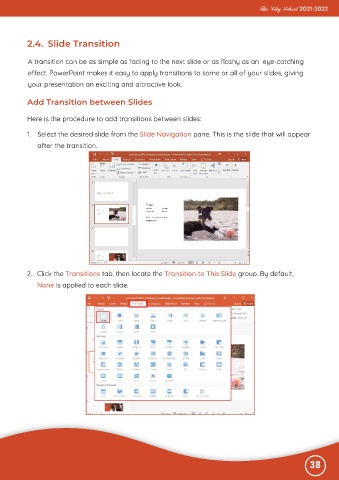
           1.  Select the desired slide from the Slide Navigation pane. This is the slide that will appear

              after the transition.


          2.  Click the Transitions tab, then locate the Transition to This Slide group. By default,
              None is applied to each slide.


                                                                                                              38

