


Page 43 - TCS ICT Book 4
P. 43
The City School  2021-2022


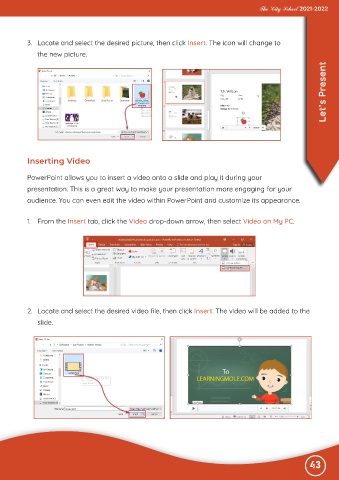
           3.  Locate and select the desired picture, then click Insert. The icon will change to

              the new picture.

                                                                                                                   Let’s Present


           Inserting Video


           PowerPoint allows you to insert a video onto a slide and play it during your
           presentation. This is a great way to make your presentation more engaging for your

           audience. You can even edit the video within PowerPoint and customize its appearance.


           1.  From the Insert tab, click the Video drop-down arrow, then select Video on My PC.


           2.  Locate and select the desired video file, then click Insert. The video will be added to the

              slide.


                                                                                                              43

