


Page 42 - TCS ICT Book 7
P. 42
The City School  2021-2022


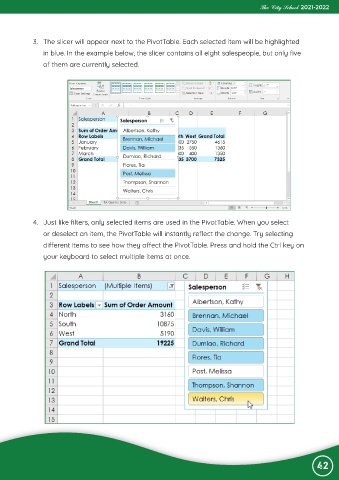
             3.  The slicer will appear next to the PivotTable. Each selected item will be highlighted
                in blue. In the example below, the slicer contains all eight salespeople, but only five

                of them are currently selected.


             4.  Just like filters, only selected items are used in the PivotTable. When you select
                or deselect an item, the PivotTable will instantly reflect the change. Try selecting
                different items to see how they affect the PivotTable. Press and hold the Ctrl key on

                your keyboard to select multiple items at once.


                                                                                                                42

