


Page 38 - TCS ICT Book 7
P. 38
The City School  2021-2022


             To add a column

             So far, our PivotTable has only shown one column of data at a time. To show multiple

             columns, you will need to add a field to the Columns area.


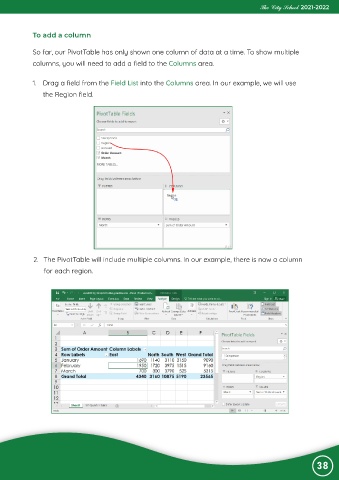
             1.  Drag a field from the Field List into the Columns area. In our example, we will use

                the Region field.


             2.  The PivotTable will include multiple columns. In our example, there is now a column
                for each region.


                                                                                                                38

