


Page 159 - Learn To Program With Scratch
P. 159
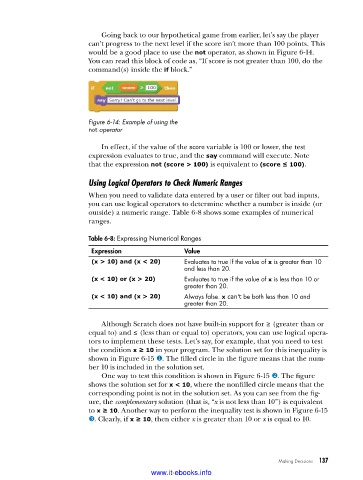
Going back to our hypothetical game from earlier, let’s say the player
                          can’t progress to the next level if the score isn’t more than 100 points. This
                          would be a good place to use the not operator, as shown in Figure 6-14.
                          You can read this block of code as, “If score is not greater than 100, do the
                          command(s) inside the if block.”


                          Figure 6-14: Example of using the
                          not operator

                             In effect, if the value of the score variable is 100 or lower, the test
                          expression evaluates to true, and the say command will execute. Note
                          that the expression not (score > 100) is equivalent to (score ≤ 100).

                          Using Logical Operators to Check Numeric Ranges
                          When you need to validate data entered by a user or filter out bad inputs,
                          you can use logical operators to determine whether a number is inside (or
                          outside) a numeric range. Table 6-8 shows some examples of numerical
                          ranges.
                          Table 6-8: Expressing Numerical Ranges

                          Expression                Value
                          (x > 10) and (x < 20)     Evaluates to true if the value of x is greater than 10
                                                    and less than 20 .
                          (x < 10) or (x > 20)      Evaluates to true if the value of x is less than 10 or
                                                    greater than 20 .
                          (x < 10) and (x > 20)     Always false . x can't be both less than 10 and
                                                    greater than 20 .

                             Although Scratch does not have built-in support for ≥ (greater than or
                          equal to) and ≤ (less than or equal to) operators, you can use logical opera-
                          tors to implement these tests. Let’s say, for example, that you need to test
                          the condition x ≥ 10 in your program. The solution set for this inequality is
                          shown in Figure 6-15 u. The filled circle in the figure means that the num-
                          ber 10 is included in the solution set.
                             One way to test this condition is shown in Figure 6-15 v. The figure
                          shows the solution set for x < 10, where the nonfilled circle means that the
                          corresponding point is not in the solution set. As you can see from the fig-
                          ure, the complementary solution (that is, “x is not less than 10”) is equivalent
                          to x ≥ 10. Another way to perform the inequality test is shown in Figure 6-15
                          w. Clearly, if x ≥ 10, then either x is greater than 10 or x is equal to 10.


                                                                              Making Decisions   137

                                           www.it-ebooks.info

