


Page 222 - Scratch Programming Playground
P. 222
save point


                         Click the green flag to test the code so far. Make sure the
                         Asteroid sprite slowly moves and rotates and that it wraps
                         around the edges of the Stage. Also, make sure that new
                         clones appear every 8 to 12 seconds. Then click the red stop
                         sign and save your program.


                           E     Make Asteroids split in
                                 two When Hit

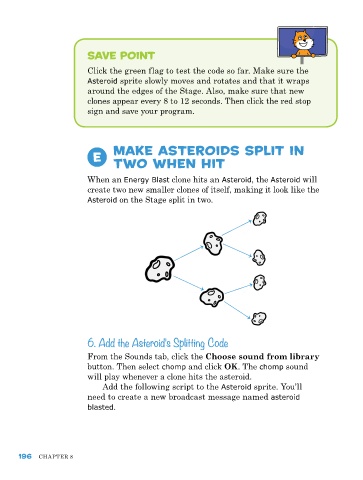
                         When an Energy Blast clone hits an Asteroid, the Asteroid will
                         create two new smaller clones of itself, making it look like the
                         Asteroid on the Stage split in two.


                         6. Add the Asteroid’s Splitting Code

                         From the Sounds tab, click the Choose sound from library
                         button. Then select chomp and click OK. The chomp sound
                         will play whenever a clone hits the asteroid.
                             Add the following script to the Asteroid sprite. You’ll
                         need to create a new broadcast message named asteroid
                         blasted.


      196   ChApTer 8

