


Page 272 - Scratch Programming Playground
P. 272
this duplicated sprite Crab. then, in the Costumes tab, click
                         the Choose costume from library button, select the crab-a
                         costume, and click OK. then open the Costume Library again
                         and select the crab-b costume.
                             the Crab sprite will still have all the Cat sprite costumes
                         (Stand, Fall, Walk1, and so on). delete these Cat sprite cos-
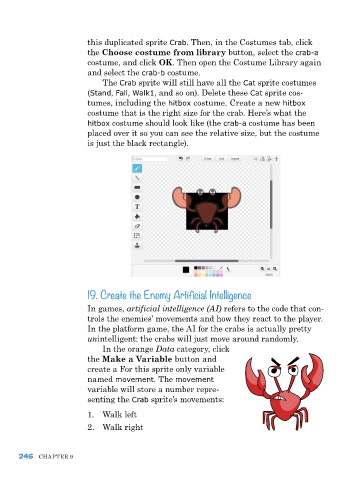
                         tumes, including the hitbox costume. Create a new hitbox
                         costume that is the right size for the crab. here’s what the
                         hitbox costume should look like (the crab-a costume has been
                         placed over it so you can see the relative size, but the costume
                         is just the black rectangle).


                         19. Create the Enemy Artificial Intelligence

                         In games, artificial intelligence (AI) refers to the code that con-
                         trols the enemies’ movements and how they react to the player.
                         In the platform game, the aI for the crabs is actually pretty
                         unintelligent: the crabs will just move around randomly.
                             In the orange Data category, click
                         the Make a Variable button and
                         create a for this sprite only variable
                         named movement. the movement
                         variable will store a number repre-
                         senting the Crab sprite’s movements:
                         1.  Walk left
                         2.  Walk right


      246   Chapter 9

