


Page 174 - Programming With Python 3
P. 174
An Introduction to STEM Programming with Python — 2019-09-03a                              Page 161
            Chapter 15 — Reading Data from the Web

               6|  url = "http://www.basicbook.org/reflect.php?" + parameters
               7|  print(url)
             Free
               8|
               9|  with urllib.request.urlopen(url) as stream:
             10|      # read and decode bytes back to a string
             11|      html = stream.read().decode('utf-8')
             12|      print(html)

             eBook
                    http://www.basicbook.org/reflect.php?email=jimbo
                    %40bogus.domain&quantity=3&user=jim
                    ...


            Making a Request With the POST Method
             Edition

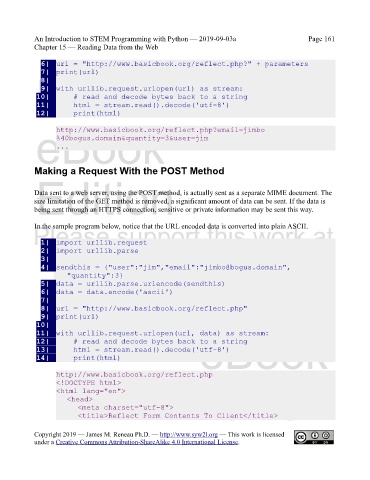
            Data sent to a web server, using the POST method, is actually sent as a separate MIME document. The
            size limitation of the GET method is removed, a significant amount of data can be sent. If the data is
            being sent through an HTTPS connection, sensitive or private information may be sent this way.


            In the sample program below, notice that the URL encoded data is converted into plain ASCII.
            Please support this work at
               1|  import urllib.request
               2|  import urllib.parse
               3|                 http://syw2l.org
               4|  sendthis = {"user":"jim","email":"jimbo@bogus.domain",
                       "quantity":3}
               5|  data = urllib.parse.urlencode(sendthis)
               6|  data = data.encode('ascii')
               7|                                                              Free
               8|  url = "http://www.basicbook.org/reflect.php"
               9|  print(url)
             10|
                                                                   eBook
             11|  with urllib.request.urlopen(url, data) as stream:
             12|      # read and decode bytes back to a string
             13|      html = stream.read().decode('utf-8')
             14|      print(html)

                    http://www.basicbook.org/reflect.php
                    <!DOCTYPE html>
                    <html lang="en">
                       <head>                                   Edition
                           <meta charset="utf-8">
                           <title>Reflect Form Contents To Client</title>


            Copyright 2019 — James M. Reneau Ph.D. — http://www.syw2l.org — This work is licensed
            under a Creative Commons Attribution-ShareAlike 4.0 International License.

