


Page 173 - Programming With Python 3
P. 173
An Introduction to STEM Programming with Python — 2019-09-03a                              Page 160
            Chapter 15 — Reading Data from the Web

               2|
               3|  with urllib.request.urlopen("http://www.syw2l.org") as stream:
             Free
               4|      # read and decode bytes back to a string
               5|      html = stream.read(100).decode('utf-8')
               6|      print(html)


                    <!DOCTYPE html>
                    <html lang="en-US" class="no-js no-svg">
             eBook
                    <head>
                       <meta charset="UTF-8">
                       <meta n


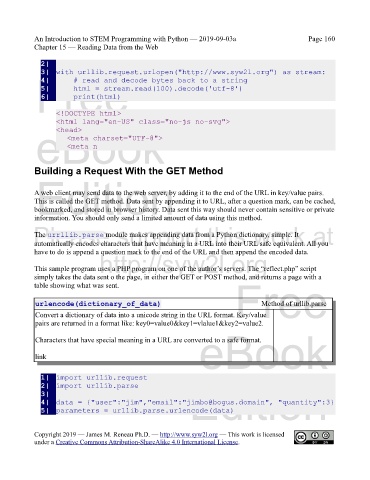
            Building a Request With the GET Method
             Edition

            A web client may send data to the web server, by adding it to the end of the URL in key/value pairs.
            This is called the GET method. Data sent by appending it to URL, after a question mark, can be cached,
            bookmarked, and stored in browser history. Data sent this way should never contain sensitive or private
            information. You should only send a limited amount of data using this method.
            Please support this work at
            The urrllib.parse module makes appending data from a Python dictionary, simple. It
            automatically encodes characters that have meaning in a URL into their URL safe equivalent. All you
            have to do is append a question mark to the end of the URL and then append the encoded data.
                                  http://syw2l.org
            This sample program uses a PHP program on one of the author’s servers. The “reflect.php” script
            simply takes the data sent o the page, in either the GET or POST method, and returns a page with a
            table showing what was sent.


                                                                                        Method of urllib.parse
             urlencode(dictionary_of_data)                                     Free
             Convert a dictionary of data into a unicode string in the URL format. Key/value
             pairs are returned in a format like: key0=value0&key1=vlalue1&key2=value2.
                                                                   eBook
             Characters that have special meaning in a URL are converted to a safe format.


             link


               1|  import urllib.request
                                                                Edition
               2|  import urllib.parse
               3|
               4|  data = {"user":"jim","email":"jimbo@bogus.domain", "quantity":3}
               5|  parameters = urllib.parse.urlencode(data)


            Copyright 2019 — James M. Reneau Ph.D. — http://www.syw2l.org — This work is licensed
            under a Creative Commons Attribution-ShareAlike 4.0 International License.

