


Page 176 - Basic Course
P. 176
KNX BASIC COURSE


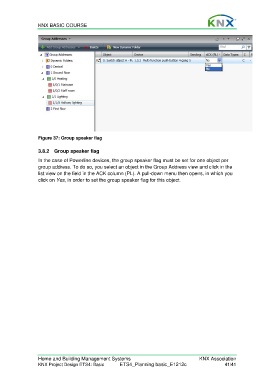
                  Figure 37: Group speaker flag

                  3.8.2  Group speaker flag

                  In the case of Powerline devices, the group speaker flag must be set for one object per
                  group address. To do so, you select an object in the Group Address view and click in the
                  list view on the field in the ACK column (PL). A pull-down menu then opens, in which you
                  click on Yes, in order to set the group speaker flag for this object.


                  Home and Building Management Systems                                    KNX Association
                  KNX Project Design ETS4: Basic      ETS4_Planning basic_E1212c                     41/41

