


Page 243 - Basic Course
P. 243
KNX BASIC COURSE


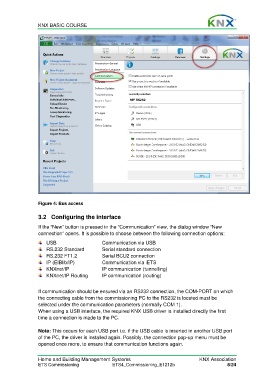
                  Figure 4: Bus access

                  3.2  Configuring the interface

                  If the “New” button is pressed in the “Communication” view, the dialog window “New
                  connection” opens. It is possible to choose between the following connection options:
                      USB                     Communication via USB
                      RS.232 Standard         Serial standard connection
                      RS.232 FT1.2            Serial BCU2 connection
                      IP (EIBlib/IP)          Communication via iETS
                      KNXnet/IP               IP communication (tunnelling)
                      KNXnet/IP Routing       IP communication (routing)

                  If communication should be ensured via an RS232 connection, the COM-PORT on which
                  the connecting cable from the commissioning PC to the RS232 is located must be
                  selected under the communication parameters (normally COM 1).
                  When using a USB interface, the required KNX USB driver is installed directly the first
                  time a connection is made to the PC.

                  Note: This occurs for each USB port i.e. if the USB cable is inserted in another USB port
                  of the PC, the driver is installed again. Possibly, the connection pop-up menu must be
                  opened once more, to ensure that communication functions again.


                  Home and Building Management Systems                                    KNX Association
                  ETS Commissioning                ETS4_Commissioning_E1212b                          8/24

