


Page 97 - digitalliteracy
P. 97
4.4 Sharing Personal Information on the Internet


                           A Closer Look: Top Five Social Media Scams (Continued)


                         4.  Phishing requests. “You have to see these
                             photos of you I found on social media!”
                             Many of us would be tempted to click
                             on the link in that message, which takes
                             you to what looks like your Facebook
                             or Twitter log-in page. There you enter
                             your log-in ID and password, and a
                             cybercriminal now has control of your
                             account. This type of scheme is known
                             as phishing (pronounced “fishing”).
                             Don’t fall for it. Make sure you have
                             installed Internet security software on
                             your computer that defends against this
                             type of attempt to gain your personal
                             information. We discuss such software
                             later in Module 6.
                                                                                   Trifonenko/iStock/Thinkstock
                         5.  Hidden URLs. People would rather copy
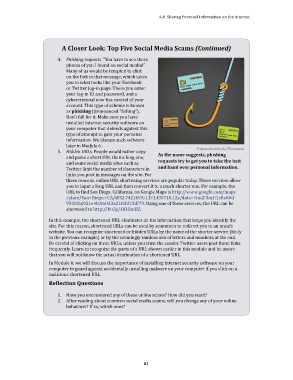
                                                                   As the name suggests, phishing
                             and paste a short URL than a long one,
                                                                   requests try to get you to take the bait
                             and some social media sites such as
                                                                   and hand over personal information.
                             Twitter limit the number of characters in
                             links you post in messages on the site. For
                             these reasons, online URL shortening services are popular today. These services allow
                             you to input a long URL and then convert it to a much shorter one. For example, the
                             URL to find San Diego, California, on Google Maps is http://www.google.com/maps
                             /place/San+Diego,+CA/@32.7421459,-117.1435718,12z/data=!4m2!3m1!1s0x80d
                             9530fad921e4b:0x0d3a21fdfd15df79. Using one of these services, the URL can be
                             shortened to http://bit.ly/1KHhoDZ.

                      In this example, the shortened URL eliminates all the information that helps you identify the
                      site. For this reason, shortened URLs can be used by scammers to redirect you to an unsafe
                      website. You can recognize shortened or hidden URLs by the name of the shorter service (bit.ly
                      in the previous example) or by the seemingly random mix of letters and numbers at the end.
                      Be careful of clicking on these URLs, unless you trust the sender. Twitter users post these links
                      frequently. Learn to recognize the parts of a URL shown earlier in this module and be aware
                      that you will not know the actual destination of a shortened URL.
                      In Module 6, we will discuss the importance of installing Internet security software on your
                      computer to guard against accidentally installing malware on your computer if you click on a
                      malicious shortened URL.
                     Reflection Questions


                         1.  Have you encountered any of these online scams? How did you react?
                         2.  After reading about common social media scams, will you change any of your online
                             behaviors? If so, which ones?


                                                             81

