


Page 104 - Computing E-Book Grade 6
P. 104
The City School  2021-2022


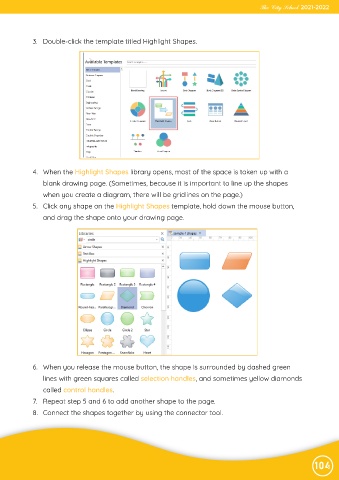
             3.  Double-click the template titled Highlight Shapes.


             4.  When the Highlight Shapes library opens, most of the space is taken up with a

                blank drawing page. (Sometimes, because it is important to line up the shapes

                when you create a diagram, there will be gridlines on the page.)
             5.  Click any shape on the Highlight Shapes template, hold down the mouse button,
                and drag the shape onto your drawing page.


             6.  When you release the mouse button, the shape is surrounded by dashed green

                lines with green squares called selection handles, and sometimes yellow diamonds
                called control handles.

             7.  Repeat step 5 and 6 to add another shape to the page.
             8.  Connect the shapes together by using the connector tool.


                                                                                                                104

