


Page 109 - Computing E-Book Grade 6
P. 109
The City School  2021-2022


             Tips: The align box is the minimal bounding box of the shapes. The Align command

             may be ineffective for connector shapes. When shapes are selected, the selection
             handles will appear.


             Distribute Shapes


             1.  Select three or more shapes.                                                                       Modular Designing

             2.  On Home tab, in Arrange group, click Distribute.
             3.  Choose a distribution option.

                 •  For Vertical distribution, the boundaries are defined by the top and bottom
                     shapes in the selection.

                 •  For Horizontal distribution, the boundaries are defined by the leftmost and
                     rightmost shapes in the selection.


            Group and Ungroup


            To group shapes, select the shapes you want to group, go to Arrange group on Home
            tab, point to Group, and then click Group (or press Ctrl + Shift + G).

            To ungroup shapes, select the group, go to Arrange group on Home tab, point to
            Group, and then click Ungroup (or press Ctrl +Shift +U).


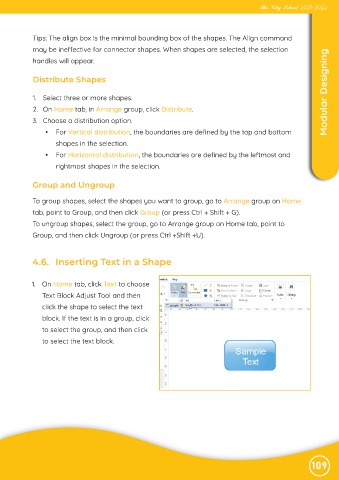
            4.6.   Inserting Text in a Shape


            1.  On Home tab, click Text to choose

                Text Block Adjust Tool and then
                click the shape to select the text

                block. If the text is in a group, click
                to select the group, and then click

                to select the text block.


                                                                                                               109

