


Page 162 - Computing E-Book Grade 6
P. 162
The City School  2021-2022


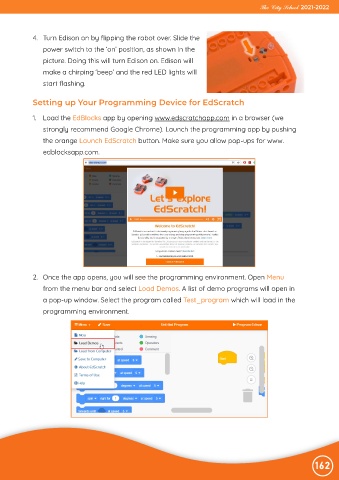
             4.  Turn Edison on by flipping the robot over. Slide the

                power switch to the ‘on’ position, as shown in the
                picture. Doing this will turn Edison on. Edison will

                make a chirping ‘beep’ and the red LED lights will
                start flashing.


             Setting up Your Programming Device for EdScratch


             1.  Load the EdBlocks app by opening www.edscratchapp.com in a browser (we
                strongly recommend Google Chrome). Launch the programming app by pushing

                the orange Launch EdScratch button. Make sure you allow pop-ups for www.
                edblocksapp.com.


             2.  Once the app opens, you will see the programming environment. Open Menu
                from the menu bar and select Load Demos. A list of demo programs will open in

                a pop-up window. Select the program called Test_program which will load in the
                programming environment.


                                                                                                                162

