


Page 68 - Computing E-Book Grade 6
P. 68
The City School  2020-2021


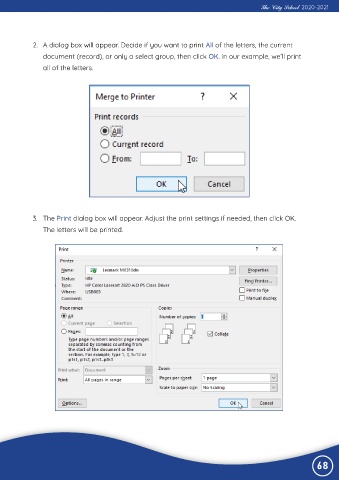
             2.  A dialog box will appear. Decide if you want to print All of the letters, the current
                document (record), or only a select group, then click OK. In our example, we’ll print

                all of the letters.


             3.  The Print dialog box will appear. Adjust the print settings if needed, then click OK.
                The letters will be printed.


                                                                                                                68

