


Page 69 - Computing E-Book Grade 6
P. 69
The City School  2021-2022


             2.12. Printing Document

                                                                                                                    Document Creation
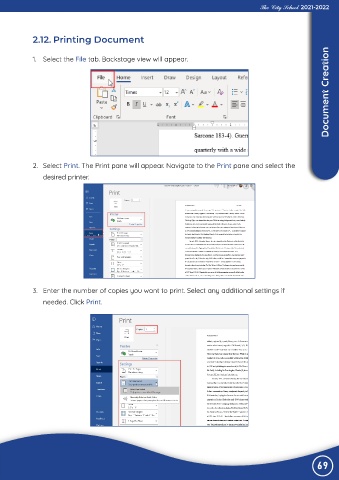
             1.  Select the File tab. Backstage view will appear.


             2.  Select Print. The Print pane will appear. Navigate to the Print pane and select the

                desired printer.


             3.  Enter the number of copies you want to print. Select any additional settings if

                needed. Click Print.


                                                                                                                69

