


Page 70 - Computing E-Book Grade 6
P. 70
The City School  2021-2022


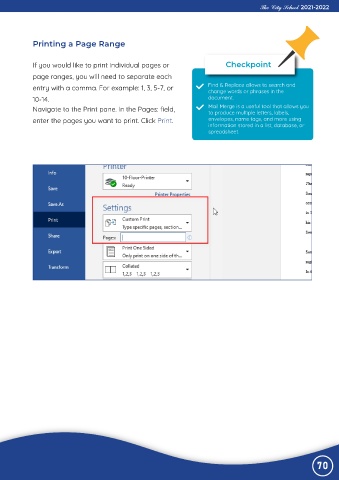
             Printing a Page Range


             If you would like to print individual pages or                     Checkpoint

             page ranges, you will need to separate each
             entry with a comma. For example: 1, 3, 5-7, or               Find & Replace allows to search and
                                                                          change words or phrases in the
             10-14.                                                       document.
             Navigate to the Print pane. In the Pages: field,             Mail Merge is a useful tool that allows you
                                                                          to produce multiple letters, labels,
             enter the pages you want to print. Click Print.              envelopes, name tags, and more using
                                                                          information stored in a list, database, or
                                                                          spreadsheet.


                                                                                                                70

