


Page 89 - Computing E-Book Grade 3
P. 89
The City School  2021-2022


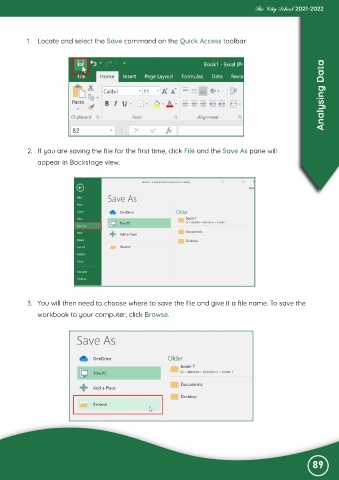
           1.  Locate and select the Save command on the Quick Access toolbar.


                                                                                                                   Analysing Data


           2.  If you are saving the file for the first time, click File and the Save As pane will
              appear in Backstage view.


           3.  You will then need to choose where to save the file and give it a file name. To save the

              workbook to your computer, click Browse.


                                                                                                               89

