


Page 91 - Computing E-Book Grade 3
P. 91
The City School  2021-2022


           Adjusting Column Width


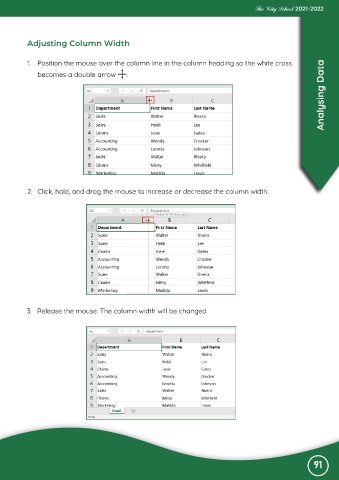
           1.  Position the mouse over the column line in the column heading so the white cross
                                                                                                                   Analysing Data
              becomes a double arrow         .


           2.  Click, hold, and drag the mouse to increase or decrease the column width.


           3.  Release the mouse. The column width will be changed.


                                                                                                               91

