


Page 116 - Windows 10 May 2019 Update The Missing Manual: The Book That Should Have Been in the Box
P. 116
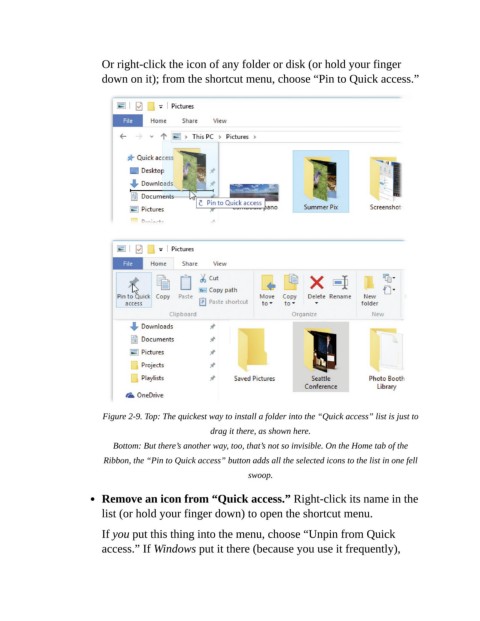
Or right-click the icon of any folder or disk (or hold your finger

                           down on it); from the shortcut menu, choose “Pin to Quick access.”


                           Figure 2-9. Top: The quickest way to install a folder into the “Quick access” list is just to
                                                       drag it there, as shown here.

                              Bottom: But there’s another way, too, that’s not so invisible. On the Home tab of the

                           Ribbon, the “Pin to Quick access” button adds all the selected icons to the list in one fell
                                                                swoop.

                           Remove an icon from “Quick access.” Right-click its name in the

                           list (or hold your finger down) to open the shortcut menu.

                           If you put this thing into the menu, choose “Unpin from Quick
                           access.” If Windows put it there (because you use it frequently),

