


Page 136 - Windows 10 May 2019 Update The Missing Manual: The Book That Should Have Been in the Box
P. 136
POWER USERS’ CLINIC THE LITTLE FILTERING
                                                     CALENDAR

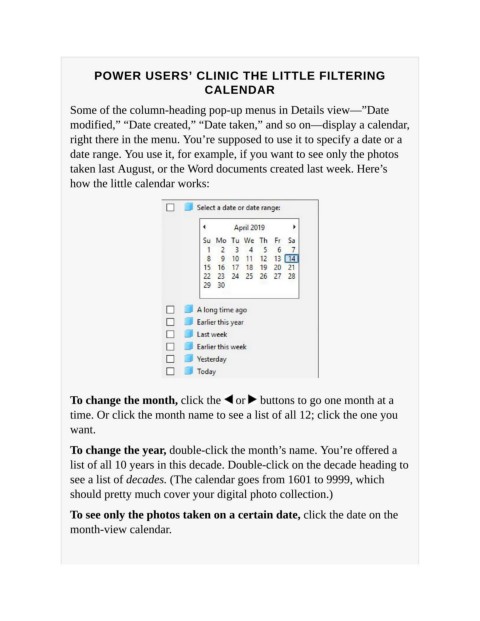
                   Some of the column-heading pop-up menus in Details view—”Date

                   modified,” “Date created,” “Date taken,” and so on—display a calendar,
                   right there in the menu. You’re supposed to use it to specify a date or a

                   date range. You use it, for example, if you want to see only the photos
                   taken last August, or the Word documents created last week. Here’s
                   how the little calendar works:


                   To change the month, click the   or   buttons to go one month at a
                   time. Or click the month name to see a list of all 12; click the one you
                   want.


                   To change the year, double-click the month’s name. You’re offered a
                   list of all 10 years in this decade. Double-click on the decade heading to
                   see a list of decades. (The calendar goes from 1601 to 9999, which

                   should pretty much cover your digital photo collection.)

                   To see only the photos taken on a certain date, click the date on the
                   month-view calendar.

