


Page 159 - Windows 10 May 2019 Update The Missing Manual: The Book That Should Have Been in the Box
P. 159
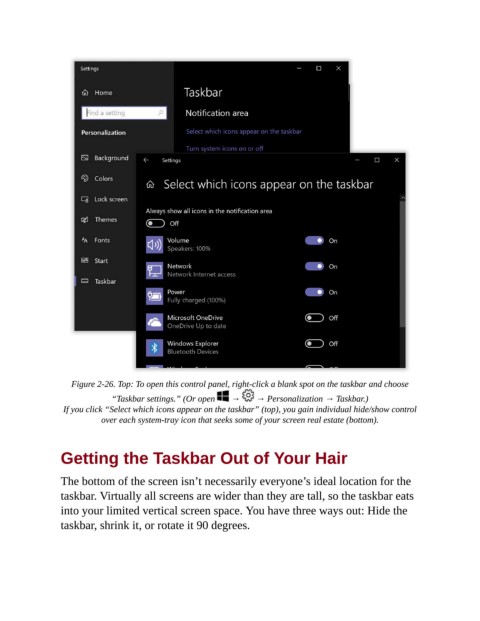
Figure 2-26. Top: To open this control panel, right-click a blank spot on the taskbar and choose

                             “Taskbar settings.” (Or open    →     → Personalization → Taskbar.)

                 If you click “Select which icons appear on the taskbar” (top), you gain individual hide/show control
                           over each system-tray icon that seeks some of your screen real estate (bottom).


                Getting the Taskbar Out of Your Hair


                The bottom of the screen isn’t necessarily everyone’s ideal location for the
                taskbar. Virtually all screens are wider than they are tall, so the taskbar eats
                into your limited vertical screen space. You have three ways out: Hide the

                taskbar, shrink it, or rotate it 90 degrees.

