


Page 408 - Windows 10 May 2019 Update The Missing Manual: The Book That Should Have Been in the Box
P. 408
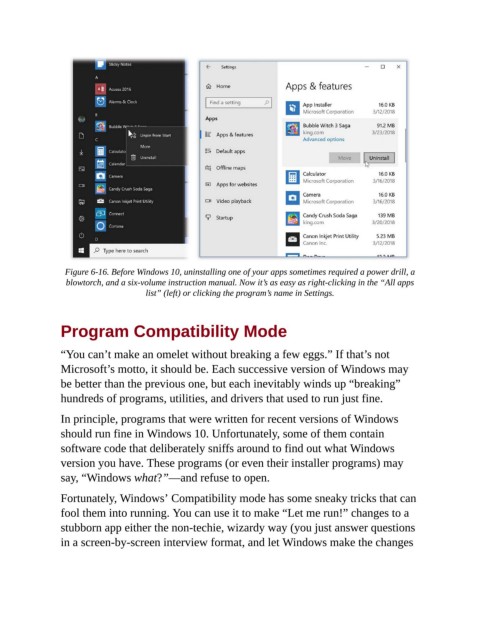
Figure 6-16. Before Windows 10, uninstalling one of your apps sometimes required a power drill, a
                  blowtorch, and a six-volume instruction manual. Now it’s as easy as right-clicking in the “All apps
                                      list” (left) or clicking the program’s name in Settings.


                Program Compatibility Mode


                “You can’t make an omelet without breaking a few eggs.” If that’s not

                Microsoft’s motto, it should be. Each successive version of Windows may
                be better than the previous one, but each inevitably winds up “breaking”
                hundreds of programs, utilities, and drivers that used to run just fine.


                In principle, programs that were written for recent versions of Windows
                should run fine in Windows 10. Unfortunately, some of them contain
                software code that deliberately sniffs around to find out what Windows

                version you have. These programs (or even their installer programs) may
                say, “Windows what?”—and refuse to open.

                Fortunately, Windows’ Compatibility mode has some sneaky tricks that can

                fool them into running. You can use it to make “Let me run!” changes to a
                stubborn app either the non-techie, wizardy way (you just answer questions
                in a screen-by-screen interview format, and let Windows make the changes

