


Page 45 - Windows 10 May 2019 Update The Missing Manual: The Book That Should Have Been in the Box
P. 45
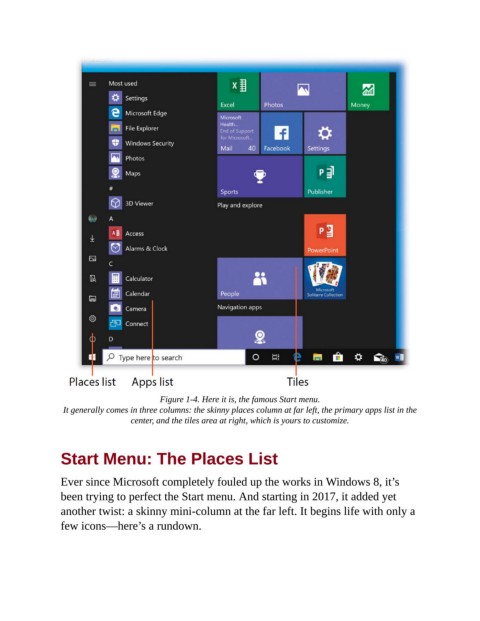
Figure 1-4. Here it is, the famous Start menu.

                 It generally comes in three columns: the skinny places column at far left, the primary apps list in the
                                  center, and the tiles area at right, which is yours to customize.


                Start Menu: The Places List


                Ever since Microsoft completely fouled up the works in Windows 8, it’s
                been trying to perfect the Start menu. And starting in 2017, it added yet
                another twist: a skinny mini-column at the far left. It begins life with only a

                few icons—here’s a rundown.

