


Page 489 - Windows 10 May 2019 Update The Missing Manual: The Book That Should Have Been in the Box
P. 489
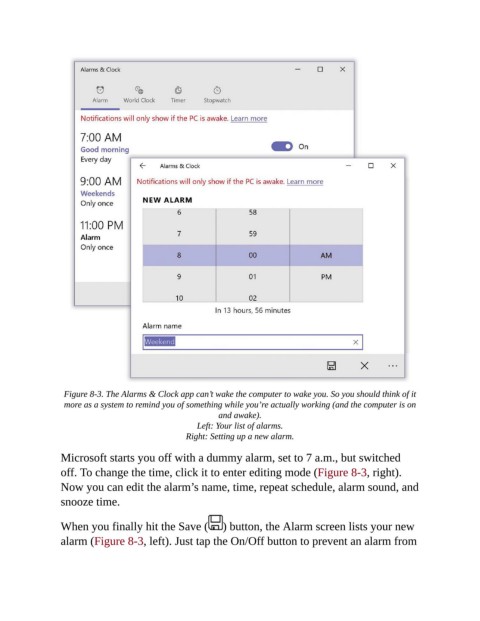
Figure 8-3. The Alarms & Clock app can’t wake the computer to wake you. So you should think of it
                 more as a system to remind you of something while you’re actually working (and the computer is on
                                                         and awake).

                                                   Left: Your list of alarms.

                                                Right: Setting up a new alarm.
                Microsoft starts you off with a dummy alarm, set to 7 a.m., but switched
                off. To change the time, click it to enter editing mode (Figure 8-3, right).

                Now you can edit the alarm’s name, time, repeat schedule, alarm sound, and
                snooze time.


                When you finally hit the Save (           ) button, the Alarm screen lists your new
                alarm (Figure 8-3, left). Just tap the On/Off button to prevent an alarm from

