


Page 58 - Windows 10 May 2019 Update The Missing Manual: The Book That Should Have Been in the Box
P. 58
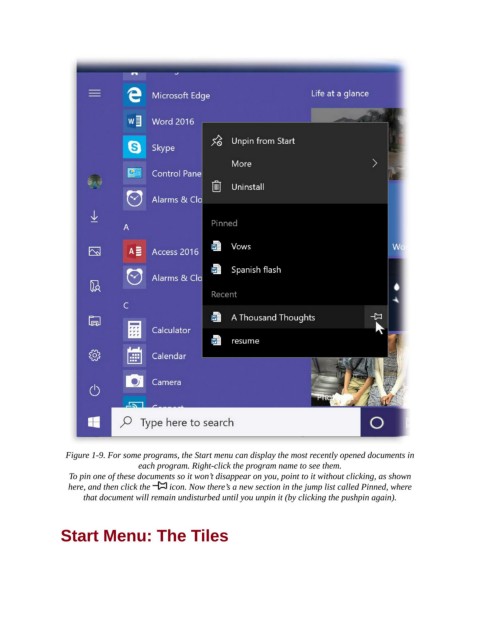
Figure 1-9. For some programs, the Start menu can display the most recently opened documents in
                                    each program. Right-click the program name to see them.

                  To pin one of these documents so it won’t disappear on you, point to it without clicking, as shown
                  here, and then click the    icon. Now there’s a new section in the jump list called Pinned, where
                      that document will remain undisturbed until you unpin it (by clicking the pushpin again).


                Start Menu: The Tiles

