


Page 639 - Windows 10 May 2019 Update The Missing Manual: The Book That Should Have Been in the Box
P. 639
you’ve marked up a page, you can preserve it as a graphic—send it to

                someone, capture it in OneNote, or whatever.


                  Note
                  These markup tools are also handy (actually, even handier) for annotating PDF documents.


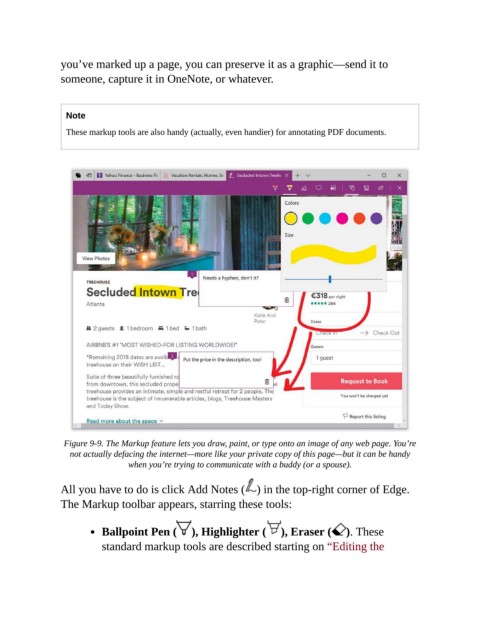
                 Figure 9-9. The Markup feature lets you draw, paint, or type onto an image of any web page. You’re
                   not actually defacing the internet—more like your private copy of this page—but it can be handy
                                  when you’re trying to communicate with a buddy (or a spouse).


                All you have to do is click Add Notes ( ) in the top-right corner of Edge.
                The Markup toolbar appears, starring these tools:


                           Ballpoint Pen (        ), Highlighter (       ), Eraser (     ). These
                           standard markup tools are described starting on “Editing the

