


Page 635 - Windows 10 May 2019 Update The Missing Manual: The Book That Should Have Been in the Box
P. 635
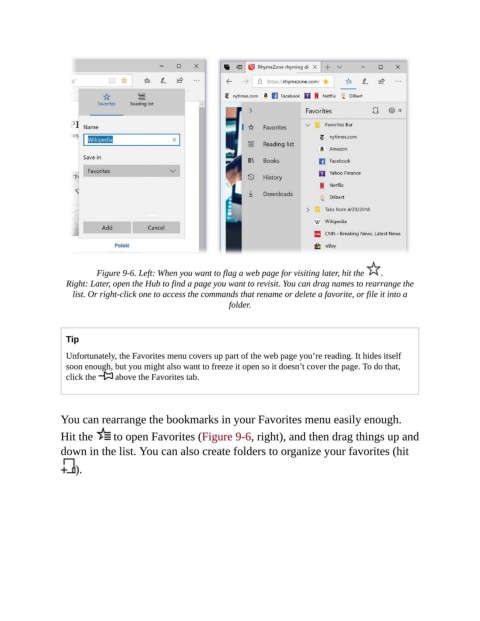
Figure 9-6. Left: When you want to flag a web page for visiting later, hit the   .

                  Right: Later, open the Hub to find a page you want to revisit. You can drag names to rearrange the
                   list. Or right-click one to access the commands that rename or delete a favorite, or file it into a
                                                           folder.


                  Tip

                  Unfortunately, the Favorites menu covers up part of the web page you’re reading. It hides itself
                  soon enough, but you might also want to freeze it open so it doesn’t cover the page. To do that,
                  click the    above the Favorites tab.


                You can rearrange the bookmarks in your Favorites menu easily enough.
                Hit the       to open Favorites (Figure 9-6, right), and then drag things up and

                down in the list. You can also create folders to organize your favorites (hit

                    ).

