


Page 671 - Windows 10 May 2019 Update The Missing Manual: The Book That Should Have Been in the Box
P. 671
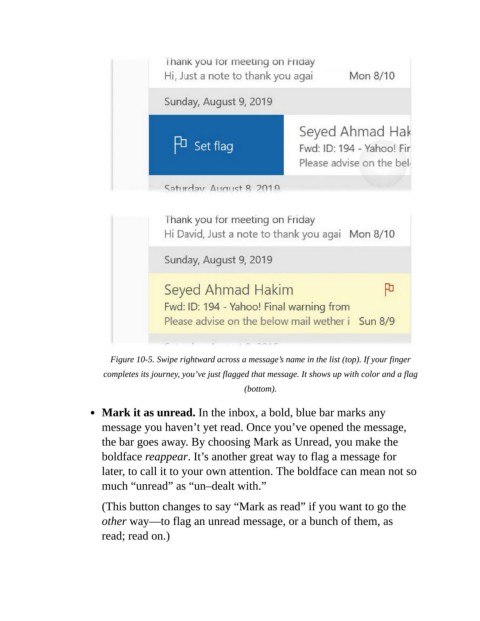
Figure 10-5. Swipe rightward across a message’s name in the list (top). If your finger

                           completes its journey, you’ve just flagged that message. It shows up with color and a flag
                                                               (bottom).


                           Mark it as unread. In the inbox, a bold, blue bar marks any
                           message you haven’t yet read. Once you’ve opened the message,
                           the bar goes away. By choosing Mark as Unread, you make the

                           boldface reappear. It’s another great way to flag a message for
                           later, to call it to your own attention. The boldface can mean not so
                           much “unread” as “un–dealt with.”


                           (This button changes to say “Mark as read” if you want to go the
                           other way—to flag an unread message, or a bunch of them, as
                           read; read on.)

