


Page 743 - Windows 10 May 2019 Update The Missing Manual: The Book That Should Have Been in the Box
P. 743
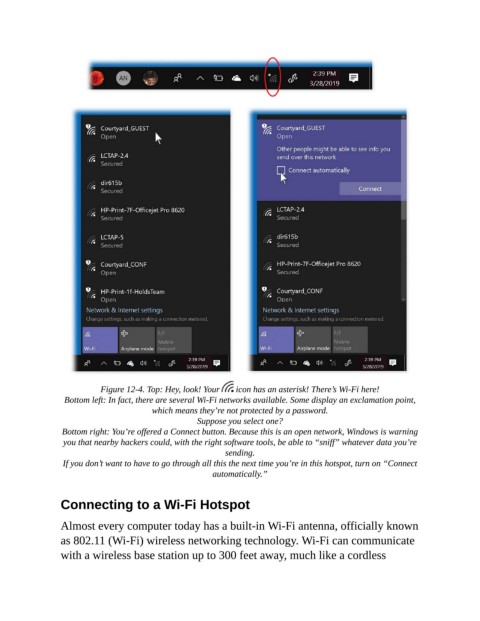
Figure 12-4. Top: Hey, look! Your    icon has an asterisk! There’s Wi-Fi here!

                 Bottom left: In fact, there are several Wi-Fi networks available. Some display an exclamation point,
                                        which means they’re not protected by a password.
                                                   Suppose you select one?

                 Bottom right: You’re offered a Connect button. Because this is an open network, Windows is warning
                 you that nearby hackers could, with the right software tools, be able to “sniff” whatever data you’re
                                                          sending.

                 If you don’t want to have to go through all this the next time you’re in this hotspot, turn on “Connect
                                                       automatically.”


                Connecting to a Wi-Fi Hotspot


                Almost every computer today has a built-in Wi-Fi antenna, officially known
                as 802.11 (Wi-Fi) wireless networking technology. Wi-Fi can communicate

                with a wireless base station up to 300 feet away, much like a cordless

