


Page 775 - Windows 10 May 2019 Update The Missing Manual: The Book That Should Have Been in the Box
P. 775
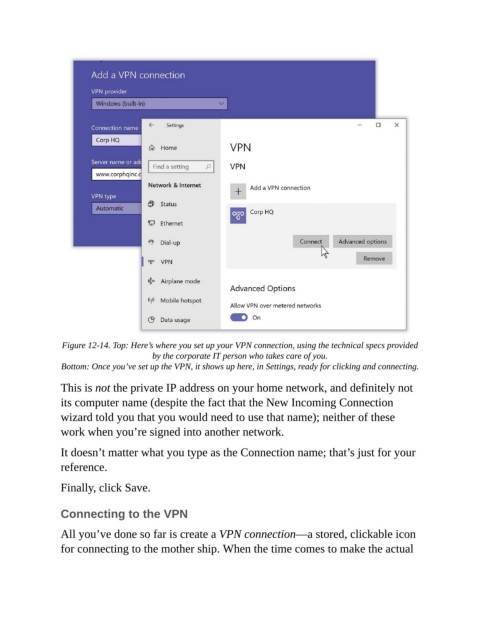
Figure 12-14. Top: Here’s where you set up your VPN connection, using the technical specs provided
                                        by the corporate IT person who takes care of you.

                 Bottom: Once you’ve set up the VPN, it shows up here, in Settings, ready for clicking and connecting.

                This is not the private IP address on your home network, and definitely not
                its computer name (despite the fact that the New Incoming Connection

                wizard told you that you would need to use that name); neither of these
                work when you’re signed into another network.

                It doesn’t matter what you type as the Connection name; that’s just for your
                reference.


                Finally, click Save.


                Connecting to the VPN

                All you’ve done so far is create a VPN connection—a stored, clickable icon
                for connecting to the mother ship. When the time comes to make the actual

