


Page 771 - Windows 10 May 2019 Update The Missing Manual: The Book That Should Have Been in the Box
P. 771
He then sees the box at lower right, where the Allow button explicitly grants permission

                                                            for you to invade.

                        3. You: Specify how much control you want. Your choices are “Take

                           full control” of Uncle Frank’s screen, or just “View screen”
                           (Figure 12-12, lower left).


                        4. Uncle Frank: On the “Share your screen” screen, hits Allow
                           (Figure 12-12, lower right).


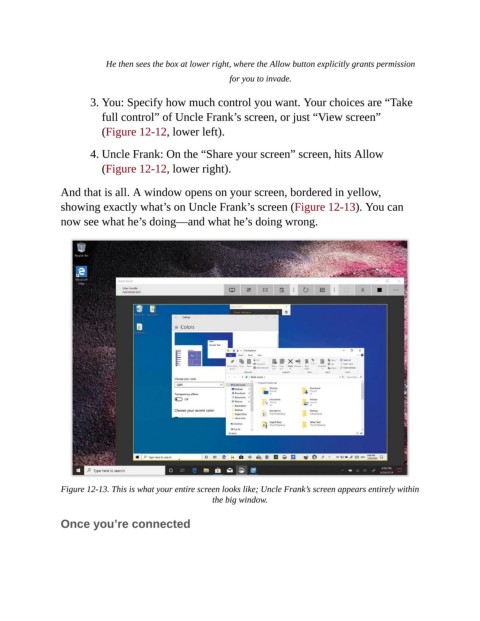
                And that is all. A window opens on your screen, bordered in yellow,
                showing exactly what’s on Uncle Frank’s screen (Figure 12-13). You can
                now see what he’s doing—and what he’s doing wrong.


                Figure 12-13. This is what your entire screen looks like; Uncle Frank’s screen appears entirely within
                                                       the big window.

                Once you’re connected

