


Page 52 - Jetpower (January 2020)
P. 52
050-051 iGyro SAT:Layout 1 Englisch  09.01.2020  13:55 Uhr  Seite 50


           JP       MINI GYRO
                    Text/Pictures: Philip Baum


                               PowerBox


                               iGyro SAT


                    The little wonder against wind


                                           The new satellite gyro

                                                     from PowerBox

                                                for the CORE-System

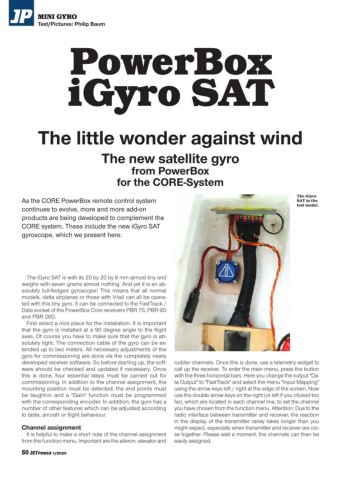
                                                                                                               The iGyro
              As the CORE PowerBox remote control system                                                       SAT in the
                                                                                                               test model.
              continues to evolve, more and more add-on
              products are being developed to complement the
              CORE system. These include the new iGyro SAT
              gyroscope, which we present here.


                The iGyro SAT is with its 20 by 20 by 8 mm almost tiny and
              weighs with seven grams almost nothing. And yet it is an ab-
              solutely full-fledged gyroscope! This means that all normal
              models, delta airplanes or those with V-tail can all be opera-
              ted with this tiny gyro. It can be connected to the FastTrack /
              Data socket of the PowerBox Core receivers PBR 7S, PBR 9D
              and PBR 26D.
                First select a nice place for the installation. It is important
              that the gyro is installed at a 90 degree angle to the flight
              axes. Of course you have to make sure that the gyro is ab-
              solutely tight. The connection cable of the gyro can be ex-
              tended up to two meters. All necessary adjustments of the
              gyro for commissioning are done via the completely newly
              developed receiver software. So before starting up, the soft-  rudder channels. Once this is done, use a telemetry widget to
              ware should be checked and updated if necessary. Once  call up the receiver. To enter the main menu, press the button
              this is done, four essential steps must be carried out for  with the three horizontal bars. Here you change the output "Da-
              commissioning. In addition to the channel assignment, the  ta Output" to "FastTrack" and select the menu "Input Mapping"
              mounting position must be detected, the end points must  using the arrow keys left / right at the edge of the screen. Now
              be taught-in and a "Gain" function must be programmed  use the double arrow keys on the right (or left if you clicked too
              with the corresponding encoder. In addition, the gyro has a  far), which are located in each channel line, to set the channel
              number of other features which can be adjusted according  you have chosen from the function menu. Attention: Due to the
              to taste, aircraft or flight behaviour.               radio interface between transmitter and receiver, the reaction
                                                                    in the display of the transmitter rarely takes longer than you
              Channel assignment                                    might expect, especially when transmitter and receiver are clo-
                It is helpful to make a short note of the channel assignment  se together. Please wait a moment, the channels can then be
              from the function menu. Important are the aileron, elevator and  easily assigned.

              50 JETPOWER 1/2020

