


Page 22 - Applied Statistics with R
P. 22
22                         CHAPTER 3. DATA AND PROGRAMMING


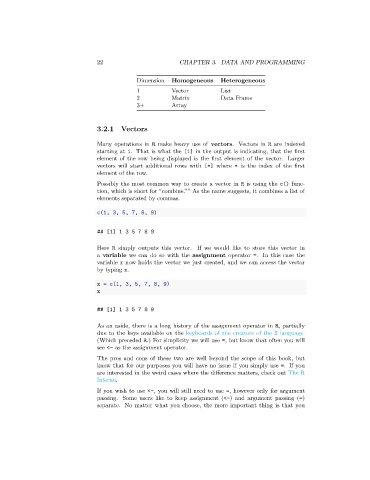
                                              Dimension   Homogeneous     Heterogeneous
                                              1           Vector          List
                                              2           Matrix          Data Frame
                                              3+          Array


                                 3.2.1   Vectors

                                 Many operations in R make heavy use of vectors. Vectors in R are indexed
                                 starting at 1. That is what the [1] in the output is indicating, that the first
                                 element of the row being displayed is the first element of the vector. Larger
                                 vectors will start additional rows with [*] where * is the index of the first
                                 element of the row.
                                 Possibly the most common way to create a vector in R is using the c() func-
                                 tion, which is short for “combine.”” As the name suggests, it combines a list of
                                 elements separated by commas.

                                 c(1, 3, 5, 7, 8, 9)


                                 ## [1] 1 3 5 7 8 9

                                 Here R simply outputs this vector. If we would like to store this vector in
                                 a variable we can do so with the assignment operator =. In this case the
                                 variable x now holds the vector we just created, and we can access the vector
                                 by typing x.

                                 x = c(1, 3, 5, 7, 8, 9)
                                 x

                                 ## [1] 1 3 5 7 8 9


                                 As an aside, there is a long history of the assignment operator in R, partially
                                 due to the keys available on the keyboards of the creators of the S language.
                                 (Which preceded R.) For simplicity we will use =, but know that often you will
                                 see <- as the assignment operator.
                                 The pros and cons of these two are well beyond the scope of this book, but
                                 know that for our purposes you will have no issue if you simply use =. If you
                                 are interested in the weird cases where the difference matters, check out The R
                                 Inferno.
                                 If you wish to use <-, you will still need to use =, however only for argument
                                 passing. Some users like to keep assignment (<-) and argument passing (=)
                                 separate. No matter what you choose, the more important thing is that you

