


Page 209 - Python Data Science Handbook
P. 209
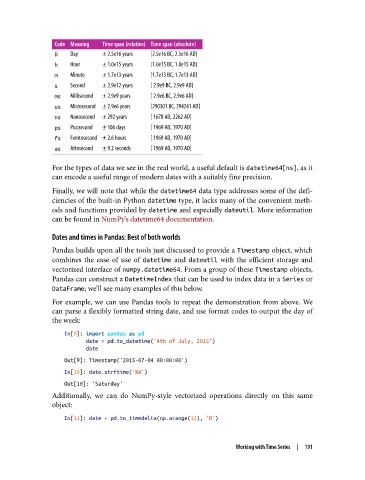
Code Meaning  Time span (relative) Time span (absolute)
                D   Day      ± 2.5e16 years  [2.5e16 BC, 2.5e16 AD]
                h   Hour     ± 1.0e15 years  [1.0e15 BC, 1.0e15 AD]
                m   Minute   ± 1.7e13 years  [1.7e13 BC, 1.7e13 AD]
                s   Second   ± 2.9e12 years  [ 2.9e9 BC, 2.9e9 AD]
                ms  Millisecond  ± 2.9e9 years  [ 2.9e6 BC, 2.9e6 AD]
                us  Microsecond  ± 2.9e6 years  [290301 BC, 294241 AD]
                ns  Nanosecond  ± 292 years  [ 1678 AD, 2262 AD]
                ps  Picosecond  ± 106 days  [ 1969 AD, 1970 AD]
                fs  Femtosecond ± 2.6 hours  [ 1969 AD, 1970 AD]
                as  Attosecond  ± 9.2 seconds  [ 1969 AD, 1970 AD]

               For the types of data we see in the real world, a useful default is datetime64[ns], as it
               can encode a useful range of modern dates with a suitably fine precision.
               Finally, we will note that while the datetime64 data type addresses some of the defi‐
               ciencies of the built-in Python datetime type, it lacks many of the convenient meth‐
               ods and functions provided by datetime and especially dateutil. More information
               can be found in NumPy’s datetime64 documentation.

               Dates and times in Pandas: Best of both worlds
               Pandas builds upon all the tools just discussed to provide a Timestamp object, which
               combines the ease of use of datetime  and dateutil  with the efficient storage and
               vectorized interface of numpy.datetime64. From a group of these Timestamp objects,
               Pandas can construct a DatetimeIndex that can be used to index data in a Series or
               DataFrame; we’ll see many examples of this below.
               For example, we can use Pandas tools to repeat the demonstration from above. We
               can parse a flexibly formatted string date, and use format codes to output the day of
               the week:

                   In[9]: import pandas as pd
                          date = pd.to_datetime("4th of July, 2015")
                          date
                   Out[9]: Timestamp('2015-07-04 00:00:00')
                   In[10]: date.strftime('%A')
                   Out[10]: 'Saturday'
               Additionally, we can do NumPy-style vectorized operations directly on this same
               object:

                   In[11]: date + pd.to_timedelta(np.arange(12), 'D')


                                                                  Working with Time Series  |  191

