


Page 212 - Python Data Science Handbook
P. 212
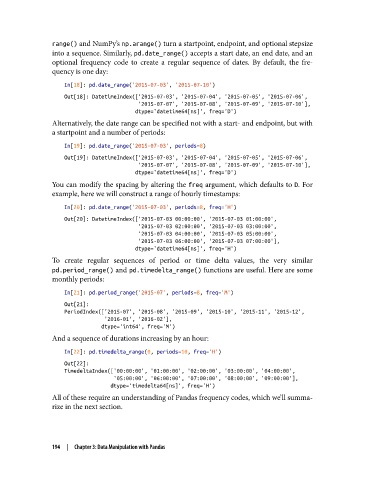
range() and NumPy’s np.arange() turn a startpoint, endpoint, and optional stepsize
               into a sequence. Similarly, pd.date_range() accepts a start date, an end date, and an
               optional frequency code to create a regular sequence of dates. By default, the fre‐
               quency is one day:

                   In[18]: pd.date_range('2015-07-03', '2015-07-10')
                   Out[18]: DatetimeIndex(['2015-07-03', '2015-07-04', '2015-07-05', '2015-07-06',
                                           '2015-07-07', '2015-07-08', '2015-07-09', '2015-07-10'],
                                          dtype='datetime64[ns]', freq='D')
               Alternatively, the date range can be specified not with a start- and endpoint, but with
               a startpoint and a number of periods:
                   In[19]: pd.date_range('2015-07-03', periods=8)

                   Out[19]: DatetimeIndex(['2015-07-03', '2015-07-04', '2015-07-05', '2015-07-06',
                                           '2015-07-07', '2015-07-08', '2015-07-09', '2015-07-10'],
                                          dtype='datetime64[ns]', freq='D')
               You can modify the spacing by altering the freq argument, which defaults to D. For
               example, here we will construct a range of hourly timestamps:

                   In[20]: pd.date_range('2015-07-03', periods=8, freq='H')
                   Out[20]: DatetimeIndex(['2015-07-03 00:00:00', '2015-07-03 01:00:00',
                                           '2015-07-03 02:00:00', '2015-07-03 03:00:00',
                                           '2015-07-03 04:00:00', '2015-07-03 05:00:00',
                                           '2015-07-03 06:00:00', '2015-07-03 07:00:00'],
                                          dtype='datetime64[ns]', freq='H')
               To create regular sequences of period or time delta values, the very similar
               pd.period_range() and pd.timedelta_range() functions are useful. Here are some
               monthly periods:

                   In[21]: pd.period_range('2015-07', periods=8, freq='M')
                   Out[21]:
                   PeriodIndex(['2015-07', '2015-08', '2015-09', '2015-10', '2015-11', '2015-12',
                                '2016-01', '2016-02'],
                               dtype='int64', freq='M')
               And a sequence of durations increasing by an hour:

                   In[22]: pd.timedelta_range(0, periods=10, freq='H')
                   Out[22]:
                   TimedeltaIndex(['00:00:00', '01:00:00', '02:00:00', '03:00:00', '04:00:00',
                                   '05:00:00', '06:00:00', '07:00:00', '08:00:00', '09:00:00'],
                                  dtype='timedelta64[ns]', freq='H')
               All of these require an understanding of Pandas frequency codes, which we’ll summa‐
               rize in the next section.


               194  |  Chapter 3: Data Manipulation with Pandas

