


Page 93 - 18-868 SEO PowerSuite Workflow_VPMGC
P. 93
SEO Workflow


               Hang on while LinkAssistant is looking for link prospects and collecting their

               contact email addresses. Once the search is complete, select the prospects to
               add to your project (you can keep all selected for now) and click Finish.


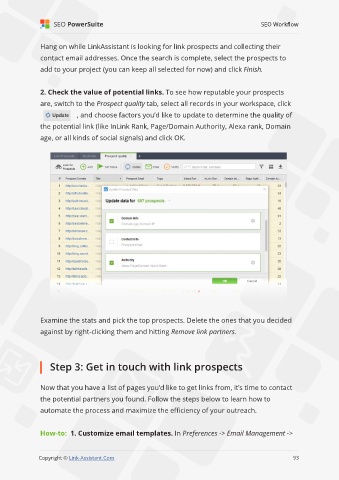
               2. Check the value of potential links. To see how reputable your prospects

               are, switch to the Prospect quality tab, select all records in your workspace, click
                             , and choose factors you’d like to update to determine the quality of

               the potential link (like InLink Rank, Page/Domain Authority, Alexa rank, Domain
               age, or all kinds of social signals) and click OK.


               Examine the stats and pick the top prospects. Delete the ones that you decided

               against by right-clicking them and hitting Remove link partners.


                   Step 3: Get in touch with link prospects


               Now that you have a list of pages you’d like to get links from, it’s time to contact
               the potential partners you found. Follow the steps below to learn how to

               automate the process and maximize the efficiency of your outreach.


               How-to:  1. Customize email templates. In Preferences -> Email Management ->

                                                                                                             93

               Copyright © Link-Assistant.Com                                                           93

